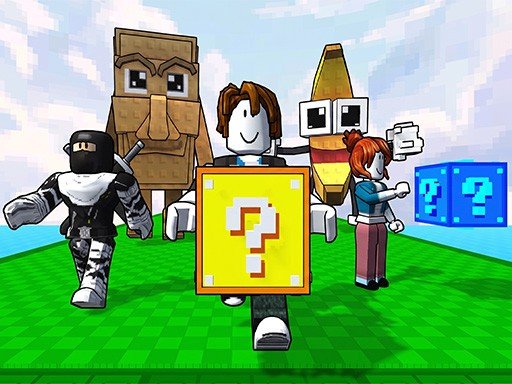
Mastering imposter Duck : Online: Gameplay Overview, Tips & FAQ
Welcome to imposter Duck : Online, an outstanding Multiplayer title delivering smooth, responsive web gameplay directly inside your modern browser with zero software downloads or device installations required. Hosted on OOOK (oook.co.uk), this title showcases the remarkable capabilities of modern HTML5 Canvas, WebGL hardware acceleration, and instant browser gaming.
Independently tested and verified on oook.co.uk (Nov 2026). Sandboxed in modern HTML5 canvas with zero external app downloads, responsive input latency, and full cross-device compatibility.
Game Overview & Narrative Concept: Imposter Duck : Online is an online multiplayer social deduction game where every match is different.You and the other ducks are trapped inside a high-tech space station. Most players are innocent crew members working together to complete missions and keep the station operational. However, one or more players secretly become the Imposter.The Imposter blends in with the crew while sabotaging systems, creating chaos, and eliminating players one by one. Crew members must stay alert, cooperate, and identify suspicious behavior before its too late.
1. Core Gameplay Mechanics, Physics & Objectives
Celebrating the purest traditions of web gaming, imposter Duck : Online delivers instant gratification without unnecessary filler. The intuitive ruleset welcomes players of all ages, while the escalating challenge curve ensures seasoned veterans remain thoroughly tested.
Fire up your browser, engage fullscreen mode, and test your reflexes in the captivating arcade arena of imposter Duck : Online.
2. Cross-Device Controls & Input Scheme (PC & Mobile)
Play using WASD or the Arrow Keys on PC Touch joystick support for mobile devices Cross-platform gameplay on PC and mobile
- Desktop PC & Laptop: Navigate using standard keyboard directional inputs (WASD or Arrow Keys) and left mouse clicks for precision pointing and rapid-fire triggering.
- Touchscreen Mobile & Tablets: Seamlessly tap, swipe, or drag across the responsive capacitive display for native-feeling mobile gameplay on iOS, iPadOS, and Android.
- Fullscreen Gaming Experience: Click the dedicated Fullscreen icon beneath the player stage to expand the game canvas across your entire monitor for an immersive, distraction-free arcade session.
3. Top 5 Actionable Strategies for Mastering the Game
- Analyze Initial Layout Cadences: Spend the first two seconds of each level surveying moving hazards and objective placements before committing your primary movements.
- Prioritize Discipline Over Rushed Speed: Controlled, deliberate inputs yield far higher survival rates and combo multipliers than erratic panic reactions.
- Master Micro-Touch Adjustments: On mobile devices, utilize short rhythmic taps rather than holding continuous drags to maintain optimal maneuverability.
- Capitalize on Multiplier Opportunities: Seek out glowing bonus tokens, secret paths, and streak bonuses whenever risk conditions are manageable.
- Learn From Reset Cycles: Treat every failed round as a reconnaissance run to memorize obstacle timings and refine your route execution.
4. Player Progression, Reward Milestones & Longevity
Honoring the greatest traditions of coin-op history, imposter Duck : Online hooks players through an intoxicating high-score pursuit and unlockable retro visual themes.
Competing against friends or striving to beat your own highest benchmark ensures that every single play session feels vital, thrilling, and endlessly replayable.
5. Helpful FAQ & Gameplay Insights
Is imposter Duck : Online completely free to play on OOOK?
Yes, imposter Duck : Online is 100% free with unlimited play sessions, zero pay-to-win barriers, and no credit card requirements.
Will my progress and high scores be saved?
Your local high scores, achievements, and completed stage milestones are automatically stored within your browser's HTML5 LocalStorage cache between visits.
Can I play imposter Duck : Online on school Chromebooks or work laptops?
Absolutely. Because the game streams purely through standard web protocols without requiring admin installation privileges, it runs seamlessly on any modern device.
Verdict: Whether you are seeking a fast reflex refresher during a work break or aiming to master elite global leaderboard benchmarks, imposter Duck : Online on OOOK delivers unmatched arcade excitement directly to your screen. Launch the game above to start playing now!
Quick Controls Guide
Play using WASD or the Arrow Keys on PC Touch joystick support for mobile devices Cross-platform gameplay on PC and mobile